
Your morning, one calm step at a time.
Gud Mornin guides you through a morning routine shaped by your goals, your schedule and the time you have.
Most mornings start in someone else’s feed.
Snooze, scroll, rush. Gud Mornin is not another habit tracker or to-do list. It runs the first part of your day with you, step by step, so the phone is not the first thing you reach for.
How a morning works
Tell it about your mornings
Answer a few questions about when you wake, what you want from the morning and how much time you have. Start from a routine built on your answers, or pick a preset.
Get a nudge at both ends
A wind-down reminder half an hour before bed, and a reminder when it is time to begin.
Follow one step at a time
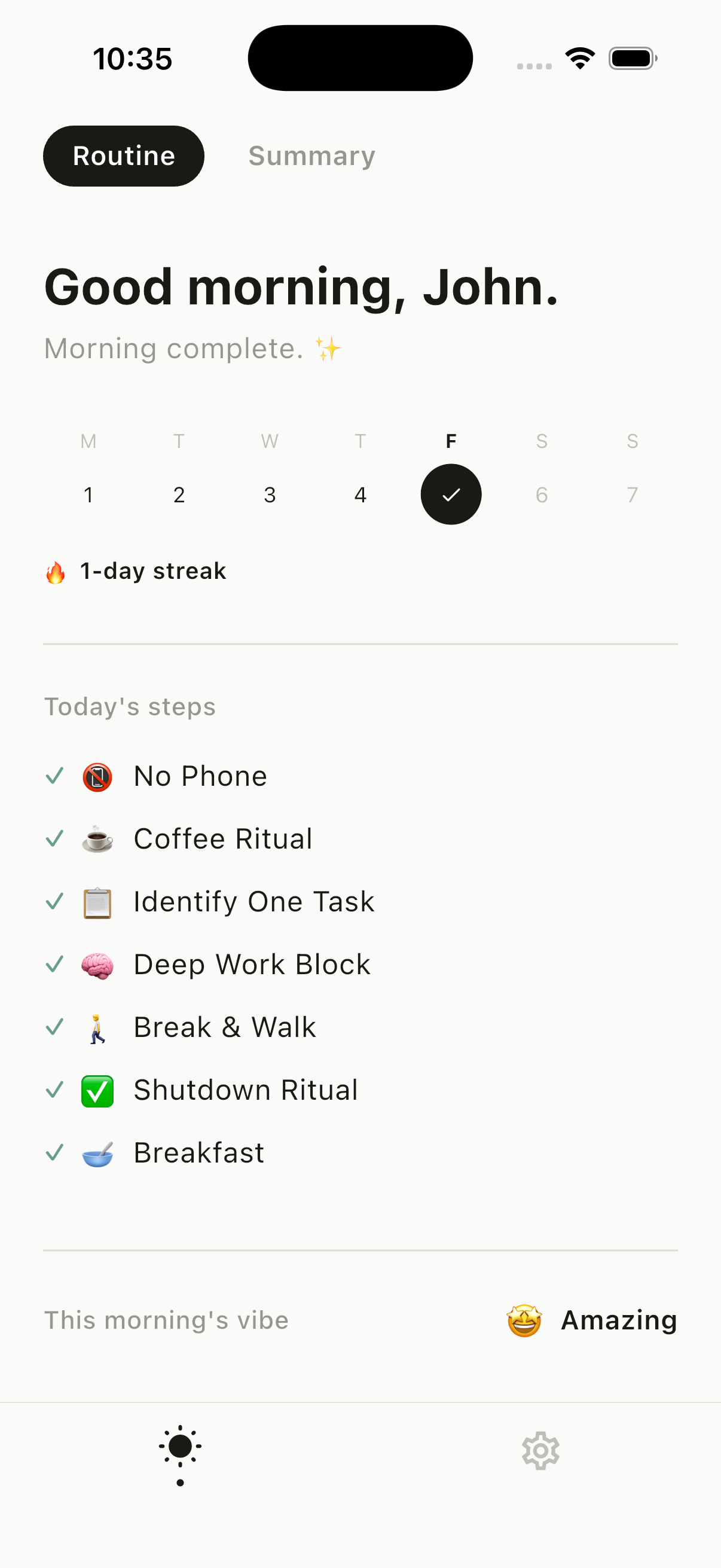
Each step fills the screen with its own timer, and the screen stays awake. Hold the check to finish a step, so a stray tap never counts.
Close with how it felt
Tag the morning as calm, focused or low on energy, add a line if you like, and leave a note for tomorrow.
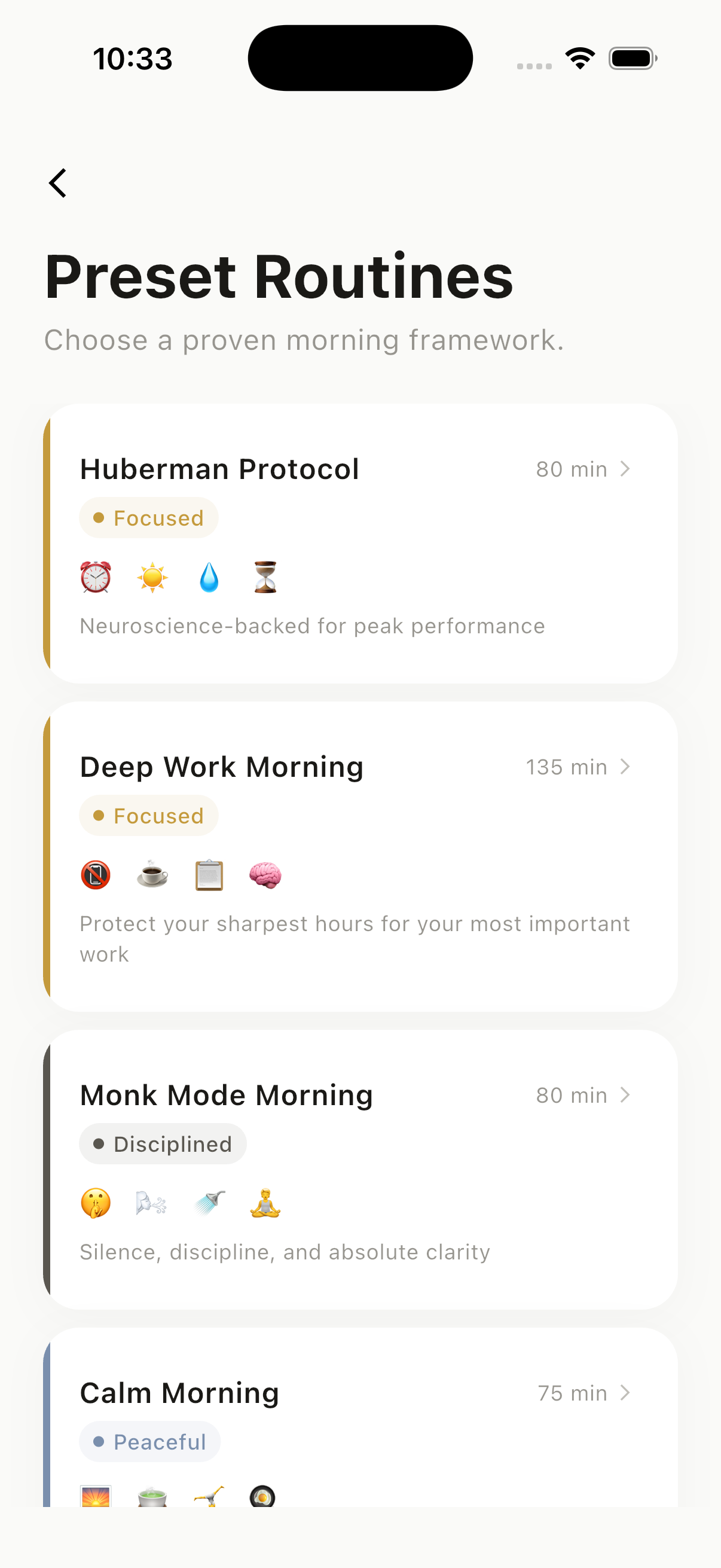
Twelve routines to start from
Use one as it is, change any step, or build your own from 55 steps. Here are six of them, exactly as they appear in the app.
Energized
Quick Boost
A full reset in 15 minutes.
- No Phoneall morning
- Drink Water3 min
- Breathwork3 min
- Morning Sunlight4 min
- Set Daily Intention5 min
No Phone is a rule for the whole session, not a timed step.
Peaceful
Calm Morning
A gentle, unhurried ritual that eases you into the day.
- Gentle Wake5 min
- Warm Drink Ritual10 min
- Light Stretching10 min
- Mindful Breakfast20 min
- Gratitude Journaling10 min
- Intention Setting5 min
- Slow Walk15 min
Focused
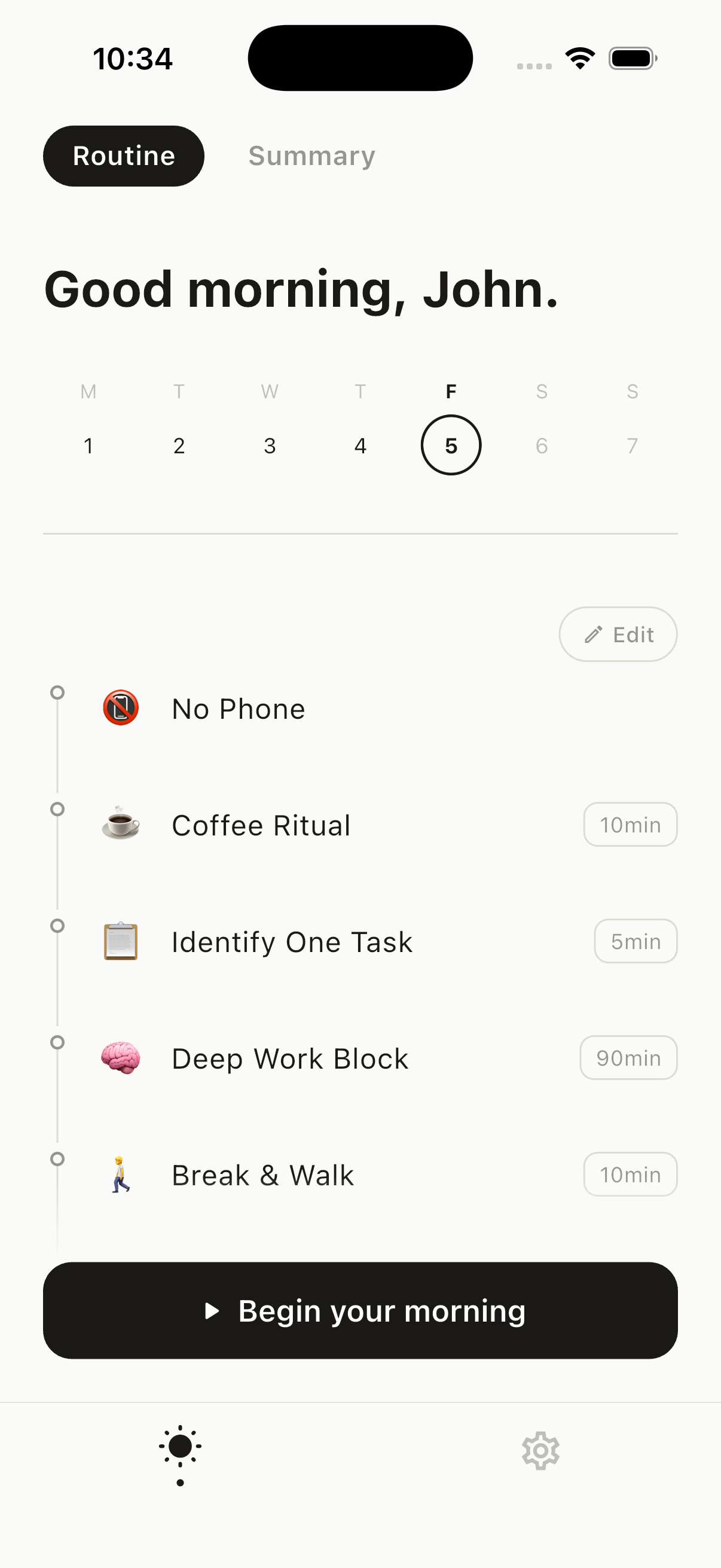
Deep Work Morning
Protect your sharpest hours for your most important work.
- No Phoneall morning
- Coffee Ritual10 min
- Identify One Task5 min
- Deep Work Block90 min
- Break & Walk10 min
- Shutdown Ritual5 min
- Breakfast15 min
No Phone is a rule for the whole session, not a timed step.
Calm
Creative Flow
Prime your imagination before the world interrupts.
- No Phoneall morning
- Drink Water3 min
- Morning Music10 min
- Morning Pages15 min
- Breakfast10 min
- Visualize Your Day5 min
- Set Top Priorities5 min
No Phone is a rule for the whole session, not a timed step.
Focused
Huberman Protocol
Light, water and training first, caffeine later.
- Wake Without Alarm5 min
- Morning Sunlight10 min
- Drink Water5 min
- Delay Caffeineall morning
- Cold Shower5 min
- Exercise40 min
- Breakfast & Coffee15 min
Delay Caffeine is a rule for the whole session, not a timed step.
Disciplined
Monk Mode Morning
Silence, discipline and absolute clarity.
- Absolute Silence5 min
- Breathwork10 min
- Cold Shower5 min
- Meditation20 min
- Journaling15 min
- Intentional Reading20 min
- Set Daily Intention5 min
See what your mornings add up to
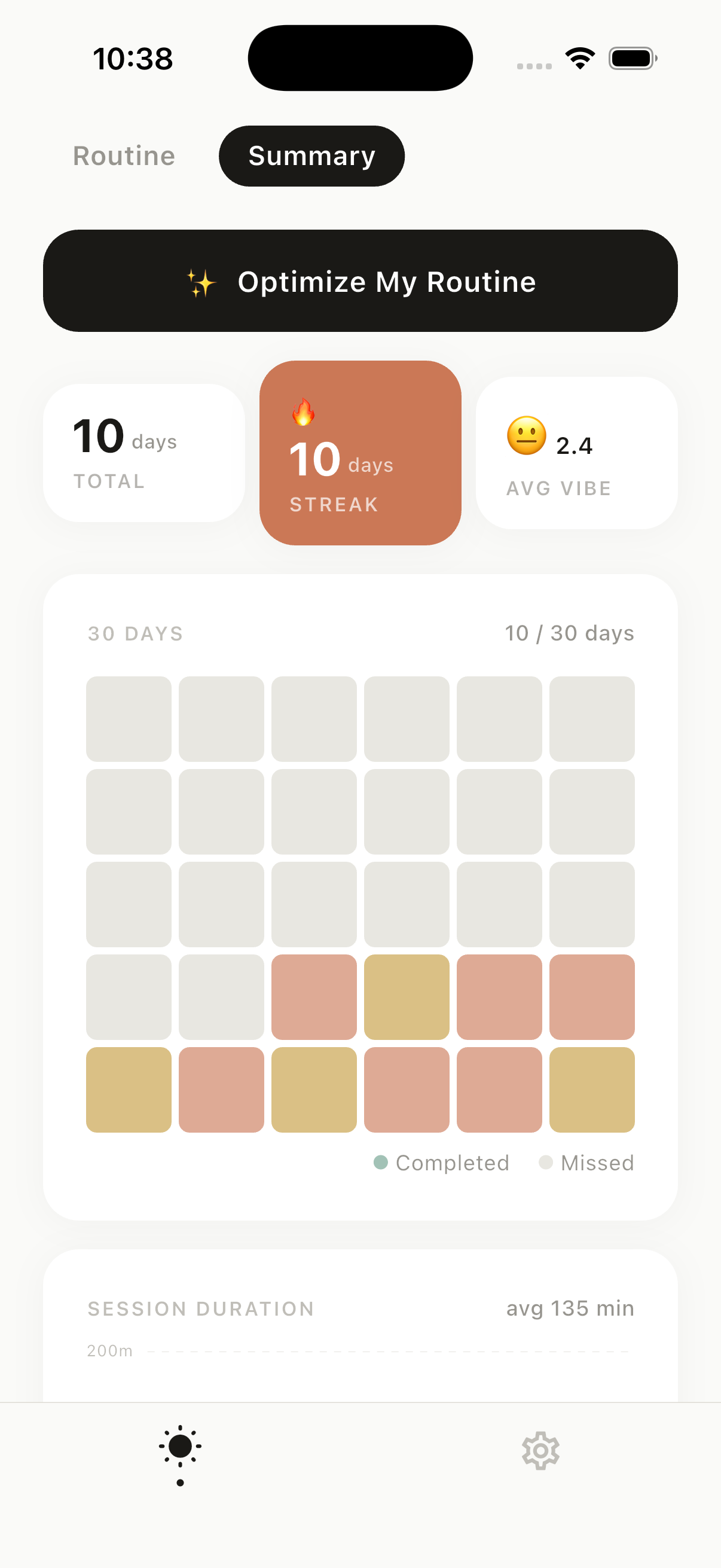
Streaks and totals
A week strip on the home screen, your current streak and how many mornings you have completed.
Insights in plain words
- “You usually finish your routine around 7:42 AM.”
- “You’re most consistent on Wednesdays.”
- “On days you complete your full routine, you tend to feel your best.”
Written from your own history. The times and days are examples.
Optimize My Routine
Premium reads your session history and suggests changes to your routine.
Free to use. Premium when you want more.
Premium starts with a 7-day free trial. The App Store shows the price in your currency before you subscribe.
Free
- Full-screen guided sessions
- Twelve preset routines and a routine of your own
- Streaks and morning reminders
- Morning reflection and notes for tomorrow
Premium
- A routine personalized with AI from your answers
- Unlimited routine customization
- Advanced analytics: activity grid, durations, timing
- Optimize My Routine, based on your history
Questions
Is Gud Mornin free?
Yes. Guided sessions, preset and custom routines, streaks and morning reminders are free. Premium adds an AI-personalized routine, unlimited customization, advanced analytics and Optimize My Routine. It starts with a 7-day free trial, and the App Store shows the price before you subscribe.
Can I build my own routine?
Yes. Pick steps from a library of 55, set how long each one takes, or add a step that is not on the list. You can also start from one of the twelve presets and change it.
Where is my data kept?
Your routine preferences, session history and notes are stored on your iPhone. Analytics and crash reports go to Firebase, and subscriptions are handled by Adapty. The privacy policy lists everything.
What do I need to use it?
An iPhone running iOS 13 or later.
How do I cancel Premium?
Subscriptions are managed by Apple. On your iPhone open Settings, tap your name, then Subscriptions, and choose Gud Mornin. Cancel at least a day before the trial or period ends to avoid the next charge.
Something else? Get support